
preloader-icon
logo

What is Google Ads Conversion Tracking?

Google Ads conversion tracking is the system that measures what happens after someone clicks your ad. Instead of only seeing clicks and impressions, you can see which ads are generating actual enquiries, calls, sales, and revenue.

  1. When tracking is set up properly, you can answer questions like:
  2. Which campaign is bringing qualified leads, not just traffic?
  3. Which keyword is generating sales, not just clicks?
  4. Are you paying for calls that are real customer calls, or wrong/short calls?
  5. Are your ads driving WhatsApp conversations and form fills reliably?

Examples of conversions we can track

We set up tracking based on your business goal, such as:

  1. Form submit (contact form, enquiry form, quote form)
  2. Phone call (call button click + call extensions tracking)
  3. WhatsApp click (mobile + desktop click tracking)
  4. Purchase (eCommerce transaction + revenue tracking)
  5. Add to cart (high intent micro-conversion)
  6. Lead form extension submission (Google Ads lead form)

Why conversion tracking matters

Google Ads uses conversion data to decide who to show your ads to, when to bid higher, and which campaign to push. If tracking is missing or incorrect, Google often optimizes for the wrong actions—leading to higher costs and poor quality leads.

Without tracking, Google Ads can’t optimize properly.

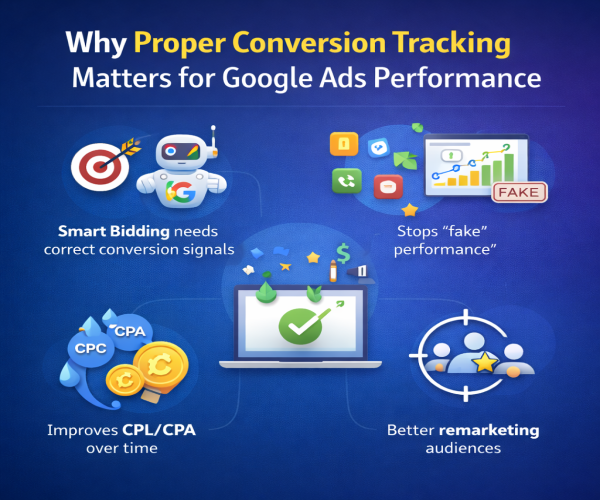
Why Proper Conversion Tracking Matters for Google Ads Performance

Good Google Ads results don’t come from “more spend”. They come from better optimisation signals. That’s exactly what proper conversion tracking gives you.

Smart Bidding only works when the signals are correct

Google’s bidding strategies (like Max Conversions, Target CPA, Maximise Conversion Value) depend on conversion data. If the tracking is wrong, Google learns the wrong patterns and starts bidding aggressively for the wrong users.

It stops “fake performance” inside the account

Many accounts look great on paper—high conversions, low CPA—until you check the actual leads. Wrong tracking can count junk actions like page views, button clicks, or duplicate events as conversions. Clean tracking ensures results reflect real enquiries, calls, and sales.

CPL/CPA improves over time (not just for one week)

When conversions are tracked properly, the algorithm gets stronger as data builds. This usually leads to better lead quality, fewer wasted clicks, and more stable performance—helping your CPL/CPA drop over time without constant manual guesswork.

You find your best campaigns and keywords faster

Accurate tracking shows which keywords and campaigns are truly delivering outcomes. This makes scaling easier because you can confidently shift budget to what works—and pause what doesn’t.

Your remarketing audiences get better quality

Tracking helps build better remarketing audiences in GA4 and Google Ads. Instead of remarketing to random visitors, you can retarget people who took meaningful actions like add to cart, started checkout, viewed key pages, or submitted a lead form.

Google Ads Conversion Tracking Setup

What We Track (Based on Your Business Goal)

We don’t set up tracking randomly. We track the actions that matter to your business—so Google Ads can optimise for real outcomes, not just clicks.

Lead Generation Tracking

We set up conversion tracking for service and lead-based businesses, such as: contact form submissions, call button clicks, WhatsApp clicks, email clicks, and Google Ads lead form extension submissions.

eCommerce Tracking (Optional)

For online stores, we track key shopping actions such as purchases, add to cart, begin checkout, product views, and revenue tracking for accurate ROAS reporting and scaling.

Call Tracking (Optional)

If calls are your main lead source, we track calls from ads (call extensions) and calls from the website (click-to-call). If needed, we can also use call duration as a quality signal to filter short or low-intent calls

Our Google Ads Conversion Tracking Setup Includes

We review or set up GA4, clean and configure GTM, and create the right Google Ads conversion actions with a clear primary vs secondary strategy. We track forms (thank-you page or event-based), calls (ads + website), WhatsApp clicks, enhanced conversions (if applicable), and cross-domain tracking when needed.

Before delivery, we remove double-counting issues, test everything in DebugView + Tag Assistant, and share the final verification report.

Conversion Tracking Setup for Lead Gen vs eCommerce

service

For Lead Generation Businesses

We track actions that represent real enquiries, not random clicks. This includes contact form submissions, WhatsApp clicks, lead form extension submissions, and call actions. For call-based businesses, we set up call tracking so Google Ads learns which traffic sources bring serious leads.

btn
service

For eCommerce Stores

We focus on clean purchase tracking and revenue accuracy. This includes confirming the purchase event fires correctly, value is passed properly, and Google Ads receives the right signals for ROAS-based optimization. This helps you scale spend without confusion in reports.

btn

How We Set Up Google Ads Tracking (Step-by-Step)

Conversion tracking should be clean, stable, and easy to trust. Our setup process is structured so you know exactly what’s being tracked and why it matters for Google Ads optimisation.

1

Step 1: Access & Goal Confirmation

We start by getting access to your Google Ads, GA4, and GTM (and Merchant Center if needed). Then we confirm what counts as a real conversion for your business, such as a qualified lead, a confirmed purchase, or a meaningful call. This prevents tracking “easy clicks” that don’t create revenue.

2

Step 2: GA4 + GTM Implementation

Next, we implement tracking through a clean GA4 and GTM structure. We remove messy or duplicate tags, set up the right triggers, and ensure events fire only when the correct action happens. The goal is accurate data without inflation or gaps.

3

Google Ads Conversion Actions Setup

We set up conversion actions inside Google Ads and map them properly for optimisation. This includes choosing which actions should be Primary (used for bidding) and which should be Secondary (tracked for insights). This is where many accounts go wrong, and it directly impacts Smart Bidding performance

4

Testing & Validation

Before we go live, we test everything end-to-end. We validate events using GA4 DebugView, GTM preview, and live test conversions. You’ll have proof that conversions are firing correctly and being recorded in the right platform.

5

Handover + Tracking Documentation

After setup, we share a clear tracking summary with what’s implemented, what’s being counted as conversions, and what Google Ads is optimising for. You also get next steps so you can confidently run campaigns, scale budgets, or hand it to your internal team.

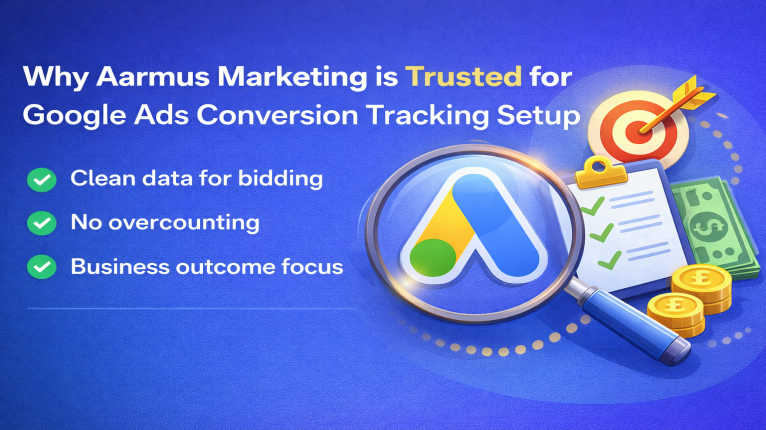
Why Aarmus Marketing is Trusted for Google Ads Conversion Tracking Setup

Google Ads results depend on one thing more than anything else: clean conversion data. If tracking is wrong, Smart Bidding learns the wrong signals, budgets get wasted, and performance looks better on screen than it is in reality. Aarmus Marketing follows a tracking-first PPC approach so your account optimizes for real business actions, not random clicks. We set up conversion tracking in a way that supports accurate bidding, stable reporting, and growth decisions you can trust.

service
shape

Should You Track Conversions in GA4 or Google Ads?

This is one of the most common questions, and it impacts performance more than most people realise.

GA4 is built for analytics. It helps you understand what users do on your website, which pages they visit, and how traffic behaves across channels.

Google Ads conversion actions are built for optimisation. These are the conversions Google uses for Smart Bidding, campaign learning, and budget decisions.

So which one should you use? The right answer depends on your business model and what you want Google Ads to optimise for.

Best-practice guideline:

  1. Lead generation businesses: Direct Google Ads conversion tracking usually performs better for form submissions, calls, and WhatsApp clicks
  2. eCommerce stores: GA4 purchase tracking + Enhanced Conversions often works best for revenue accuracy and ROAS-based optimisation

In many cases, we also use a hybrid setup (GA4 for reporting clarity, Google Ads conversions for bidding control) while making sure everything is deduplicated and counted correctly.

Faq

About Google Ads Management Services

Most setups are completed in 1–3 working days. Complex websites, multiple forms, cross-domain flows, or eCommerce setups may take a bit longer. We confirm timelines after a quick access check.

Yes. We can review or set up GA4 + Google Tag Manager (GTM) as part of the tracking setup. This ensures your conversions are tracked cleanly and consistently across the site. It also helps Google Ads optimise on the right signals.

Yes. We track WhatsApp click events from website buttons and links. This works well for service businesses that get leads through WhatsApp. We can also track separate WhatsApp clicks by page if needed.

Yes. We set up tracking for both calls from ads (call assets/extensions) and calls from your website (click-to-call). This helps you measure call leads correctly and optimise campaigns for real enquiries. Call tracking is especially useful for local and service businesses.

This usually happens when conversions are firing twice because of duplicate tags, multiple triggers in GTM, or incorrect event settings. Double counting makes CPA look lower than reality and confuses Smart Bidding. We fix deduplication so reporting becomes accurate.

Yes. We can set up Shopify purchase tracking with GA4 and Google Ads reporting. We ensure orders, revenue, and conversion values pass correctly for ROAS visibility. This helps scale Shopping and Performance Max with confidence.

Enhanced Conversions are not mandatory, but they are highly recommended in many cases. They improve conversion accuracy by securely matching customer data signals. We set it up when your website and business model support it.

Yes, tracking helps reduce CPL/CPA over time by giving Smart Bidding better data. When Google optimises for real conversions, wasted spend reduces and lead quality improves. It won’t fix weak offers or landing pages, but it fixes the optimisation foundation.

Yes. Accurate conversion tracking is even more important for Performance Max. PMax relies heavily on conversion signals to learn and optimise spend. We ensure it doesn’t optimise for junk actions or low-value events.

Yes. After setup, we share a tracking verification summary with proof of testing. This includes validation using tools like GA4 DebugView and Tag Assistant. You’ll know exactly what is tracked and what Google Ads is optimising for.

shape

Contact Us

Get a Free Digital Marketing Service Quote

"Tell us what you need — our experts will craft a custom marketing plan and reach out within 24 hours."

img